
Groq
Groq runs open-source models on custom LPU hardware, delivering fast inference for both transcription and summarization.
Roles: Transcription and Summarization
| Role | Model |
|---|---|
| Transcription | whisper-large-v3 |
| Summarization | llama-3.3-70b-versatile |
1. Create an API key
Section titled “1. Create an API key”Go to console.groq.com/keys and click Create API Key.
Key format: gsk_…
Keys are account-wide (not project-scoped).
Copy the key immediately — Groq shows it only once.
2. Configure transcription
Section titled “2. Configure transcription”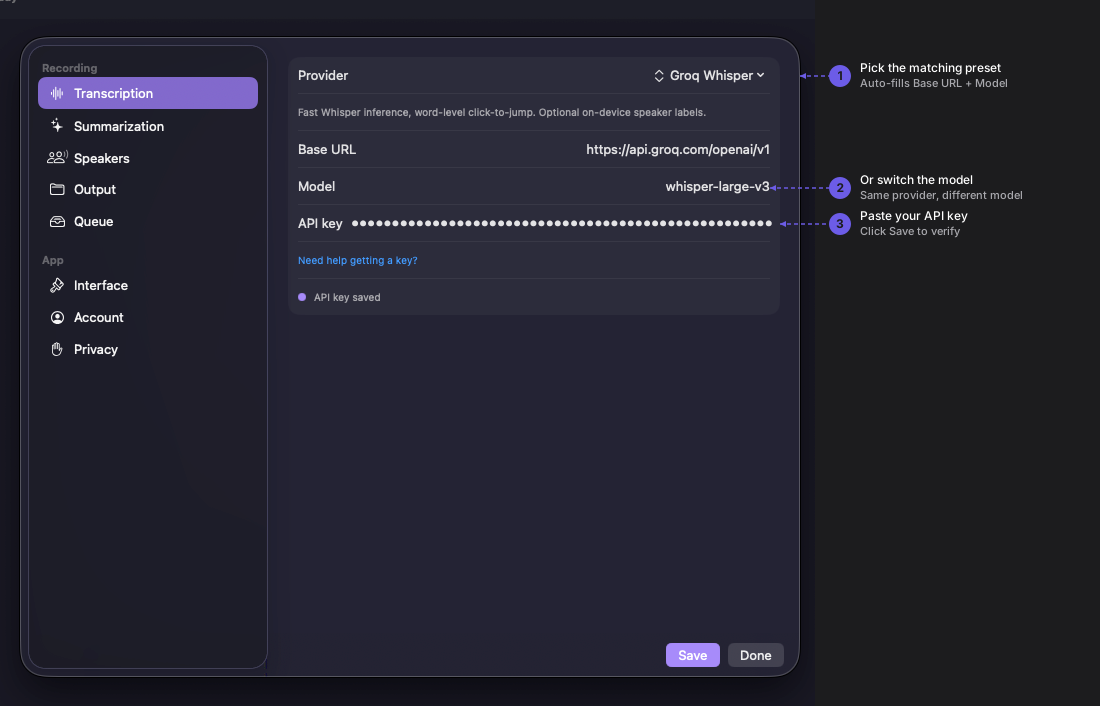
Navigate to Quendian → Preferences → Transcription, pick Groq Whisper, and paste the key. Quendian uses whisper-large-v3 for transcription.
3. Configure summarization
Section titled “3. Configure summarization”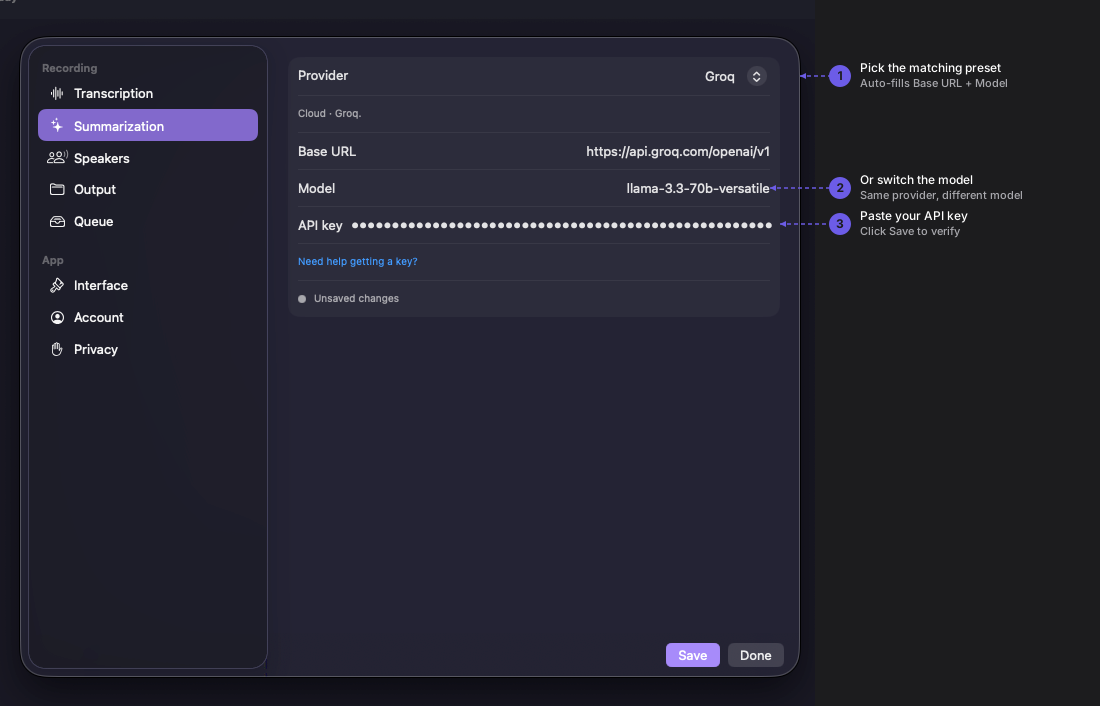
Navigate to Preferences → Summarization, pick Groq, and paste the same key. Quendian uses llama-3.3-70b-versatile for summaries by default.
Same key, both roles
Section titled “Same key, both roles”A single Groq API key authenticates both the transcription endpoint (whisper-large-v3) and the summarization endpoint (llama-3.3-70b-versatile). Quendian makes separate API calls per role.
Monitor usage and pricing
Section titled “Monitor usage and pricing”For current rates, see Groq’s pricing page. Track your usage at console.groq.com/settings/usage.