
Ollama (local)
Ollama runs open-source language models entirely on your Mac. Inference happens locally, so no data leaves your machine and no requests go to any external API.
Role: Summarization only (local models do not provide transcription)
Hardware requirements:
| Component | Minimum |
|---|---|
| Chip | Apple M1 or later |
| RAM | 16 GB unified memory |
| Disk space | 8 GB free (for the model) |
1. Install Ollama
Section titled “1. Install Ollama”Download and install from ollama.com/download/mac.
2. Pull a model
Section titled “2. Pull a model”Open Terminal and run:
ollama pull llama3.2On a Mac with 32 GB or more RAM, you can use the larger llama3.1:70b for better quality:
ollama pull llama3.1:70b3. Start Ollama (if not already running)
Section titled “3. Start Ollama (if not already running)”Ollama starts automatically after installation. If needed:
ollama serveThe server listens on http://localhost:11434/v1 by default.
4. Open Preferences in Quendian
Section titled “4. Open Preferences in Quendian”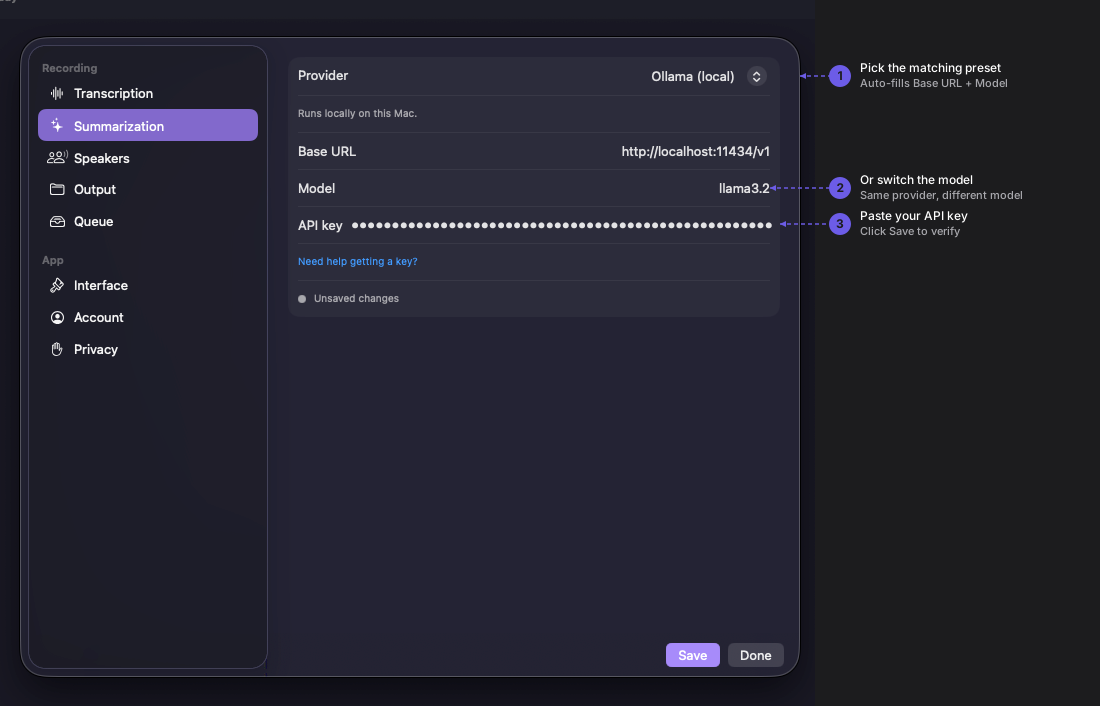
Navigate to Quendian → Preferences → Summarization.
5. Configure the Ollama preset
Section titled “5. Configure the Ollama preset”Select the Ollama preset under Summarization. Quendian pre-fills the endpoint (http://localhost:11434/v1) — no API key is required.
Click Save.
Performance expectations
Section titled “Performance expectations”On an M1 Pro with 16 GB RAM using llama3.2, expect roughly 90 seconds to summarize a 30-minute meeting. Larger models or faster hardware will reduce this time significantly.